


14 May 2025

5 min read
Designing a Robust Boot Process with MCUboot and Zephyr RTOS
-Sayooj K Karun
14 May 2025
5 min read
Designing a Robust Boot Process with MCUboot and Zephyr RTOS
-Sayooj K Karun
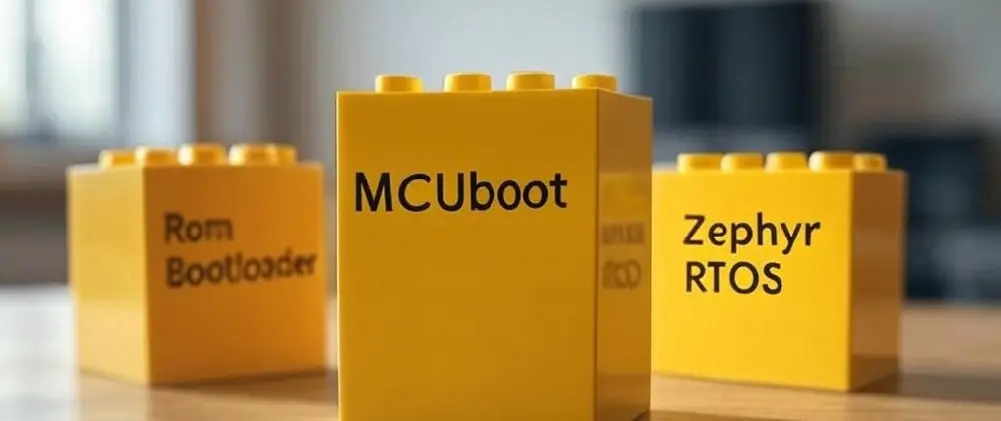
Heads up before we dive in! This article assumes you’re already familiar with MCUboot — if not, no worries! We’ve got a detailed blog on the way soon to get you up to speed. Stay tuned!
In embedded systems, the bootloader is more than just a startup routine. It's the gatekeeper of your firmware's security, reliability, and updateability. If you're working with Zephyr RTOS, MCUboot is your go-to open-source bootloader.
But here’s the kicker: you must freeze your MCUboot design early, before the rest of your system relies on it. Changing it later could mean breaking update flows, rewriting partition layouts, or even physically accessing devices in the field.
So let's walk through what you need to get right before freezing your MCUboot design.
1. Flash Partition Layout
MCUboot works hand-in-hand with Zephyr’s Device Tree to determine where it stores and loads firmware images. Your layout choice affects everything: rollback capability, update speed, memory usage.
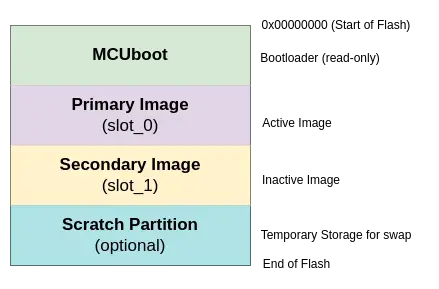
Layout Options:
- Single Slot + Overwrite: Smaller footprint, no rollback.
- Dual Slot + Swap: Supports fail-safe updates with rollback.
- Direct-XIP (Execute in Place): Avoids copying image to RAM, faster but hardware-specific.
- RAM load: Load the latest image directly to RAM
2. Image Signing & Security
MCUboot verifies every image it boots using digital signatures. You must:
- Choose your algorithm: RSA-2048, ECDSA-P256, or ED25519.
- Generate signing keys (keep your private key safe!).
- Embed the public key in MCUboot at build time.
Once the public key is flashed in, you cannot change it without reflashing MCUboot itself.

3. Upgrade Strategy – How Will You Update?
| Method | Description | Rollback Support | Requires Scratch |
|---|---|---|---|
| Overwrite | Erase and write primary Image | No | No |
| Swap with Scratch | Swap Primary image and Secondary Image using scratch partition | Yes | Yes |
| Swap using Offset* | Swap Primary and Secondary Image partitions using offsets | Yes | No |
| Direct-XIP | Execute from Secondary Slot | Yes - If there are two image partitions. No - If There is only one image partition. | No |
| RAM Load | Load the Latest Image Directly to RAM | Yes | No |
| Firmware Loader | MCUboot will have a single application slot, and the secondary slot will be for a non-upgradeable firmware loaded image | Yes | No |
*There are multiple ways to do this, we will cover the modes in detail in later posts! Choose based on your flash size, update reliability needs, and available RAM.
4. Versioning and Anti-Rollback
MCUboot uses semantic version numbers (MAJOR.MINOR.PATCH) to determine whether a new image is 'newer' than the one currently running.
Update the VERSION file of your zephyr application to change it’s version. By doing so:
- Older firmware with a lower version will be rejected by the bootloader.
- This acts as a simple but effective anti-rollback mechanism.
If your current Version file looks like:
1.0.0
And you are releasing a new version that should prevent rollback to earlier versions, you can update it like this:
1.1.0 # Anti-rollback: prevents downgrade to previous versions
5. Recovery & Serial Update Support
Sometimes OTA isn't enough. MCUboot supports serial recovery mode, allowing firmware to be sent over UART during boot. This allows MCUboot itself to load update images into flash over a UART. CONFIG_MCUBOOT_SERIAL has to be set to y to support this.
- Reserve UART pins.
- Test with tools like mcumgr.
Make sure to:
You can even boot into recovery after multiple failed boots by tracking boot attempts or a by checking a GPIO state. It all depends on your use case.
6. Debugging, Logging, and Validation
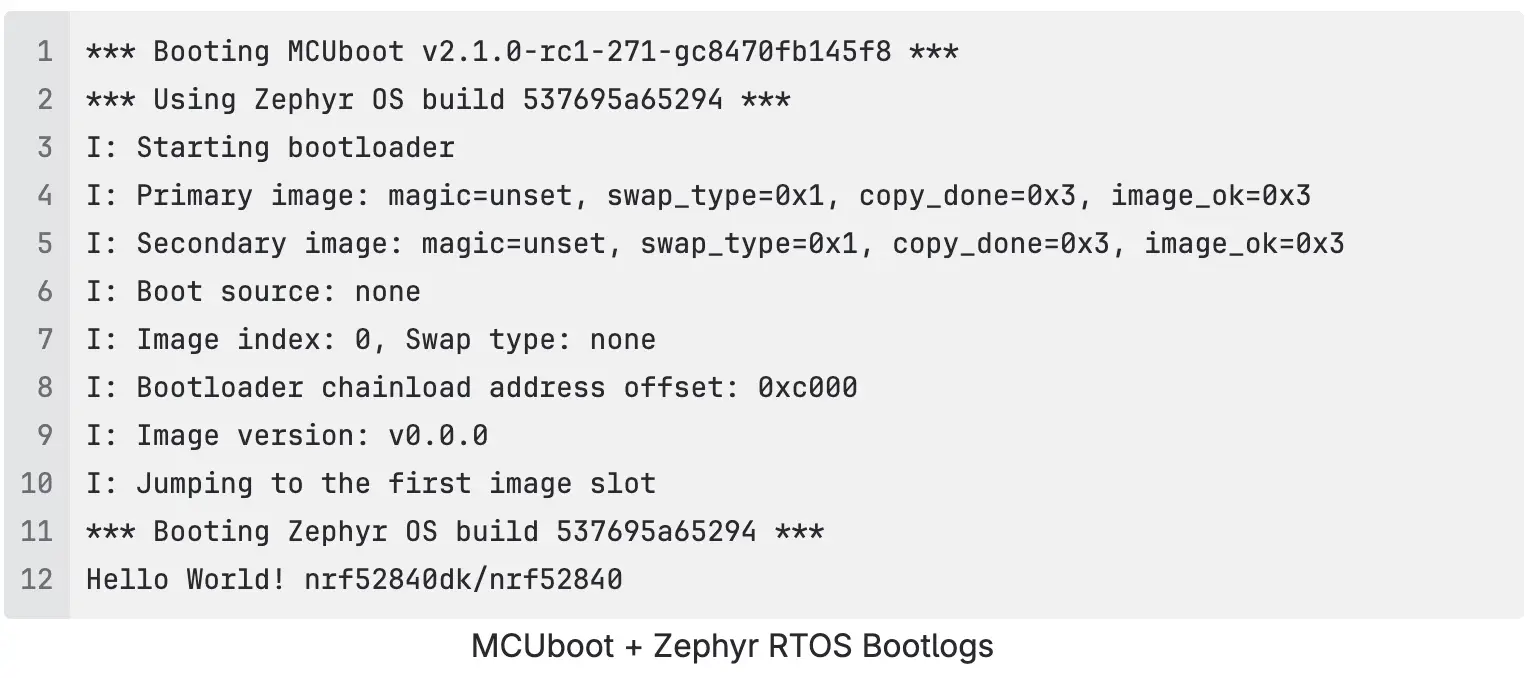
Enable logging in MCUboot to trace boot issues:
Logs can be enabled by CONFIG_LOG knob. There are different levels of logging that can be enabled (Error, Warning, Information, Debug).
Use UART, or memory buffer for logs—but remember to disable logs in production.
7. Test Scenarios
- Normal boot
- Update success
- Interrupted update (power loss)
- Revert logic
- Invalid signature
8. Final Checklist Before Freezing MCUboot
| Area | Decision |
|---|---|
| Partition Layout | Single / Dual Slot |
| Upgrade Method | Overwrite / Swap |
| Key Type | RSA / ECDSA / ED25519 |
| Secure Boot Policy | Required / Optional |
| Firmware Encryption | Yes / No |
| Serial Recovery | Enabled / Disabled |
| Rollback Support | Yes / No |
| Versioning | Enabled |
| Logging | Debug Only |
| Flash Map Integration | Confirmed |
Conclusion
Freezing your MCUboot design is like pouring the foundation for your embedded system. Make the right choices early, and you’ll have a secure, maintainable, and flexible system. Get it wrong, and you may face bricked devices or painful field updates.
If you're unsure about your choices, try different configurations on EVKs before confirming the design.
Have a business idea and want to convert it into a Zephyr OS based product ? Want to know more about Aerlync’s expertise in MCUboot and Zephyr RTOS? Contact Us!
Recommended Blogs

21 May 2025
5 min read
Zephyr OS Security: Architecture, Features, and the Future of IoT Security
14 May 2025
5 min read
Exploring Zephyr RTOS: A Lightweight, Scalable Real-Time Operating System for the Modern IoT Era

15 Oct 2025
5 min read
Edge AI: Intelligence at the Frontier of Computing
Build with the Most Trusted Engineering Partner

Delivers cutting-edge embedded solutions, from firmware development to wireless protocols, ensuring reliability and innovation.

Resources
Copyright © 2026
Privacy Policy
Terms of Service
Delivers cutting-edge embedded solutions, from firmware development to wireless protocols, ensuring reliability and innovation.


Resources
Privacy Policy
Terms of Service
Copyright © 2026